


Tuesday, February 15, 2011 2:26 PM

 I travel a ton, both for many of the conventions and events we cover on TouchArcade, as well as because staying in one place for too long is boring. Traveling a lot is liberating for many reasons, but mainly because you realize just how little of the stuff you own you actually need. Specifically, from a computing standpoint, I've got my entire infrastructure down to a single laptop bag which houses absolutely everything I need for TouchArcade and all other things I use my computer for.
When bag space is at a premium, you rarely have room for any "unitasker" as Alton Brown puts it, which sadly leaves many traditional gaming accessories without a place in my mobile arsenal. I've made a special exception for the Fling iPad joysticks, but I haven't had an actual USB gamepad for ages. Normally this isn't much of an issue, but since 2011 is the 25th anniversary of both the Metroid and Zelda series, I've taken it upon myself to replay both series in emulators as carting my originals (and associated consoles) around just isn't realistic.
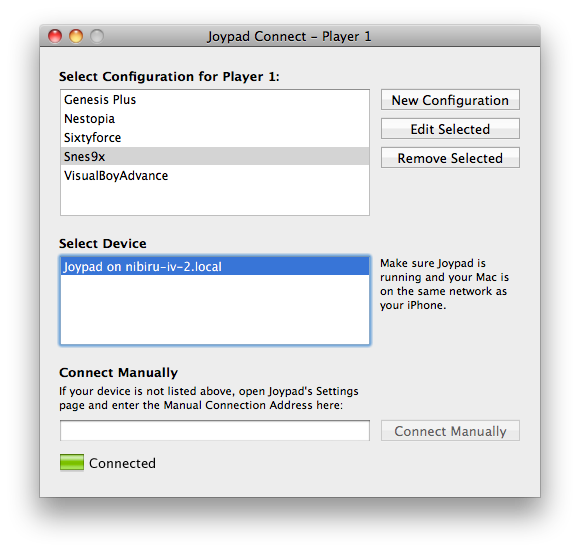 This is where Joypad [$2.99 / Lite] comes in. Utilizing a small iOS app combined with a companion program running on your Mac or Windows PC, you can use your iPhone as a game controller. Setup is simple, and basically just amounts to having both your computer and iPhone on the same wireless network while having both the iOS app and the companion program running. In the Joypad Connect computer program you'll then select one of the pre-sets for mapping buttons to keys, then select your iOS device from the list of devices and you'll be good to go. If you're playing an emulator or game that uses different keys, you can create a new profile for that, and go to town mapping the controls it uses to the virtual buttons of Joypad. It all works really well.
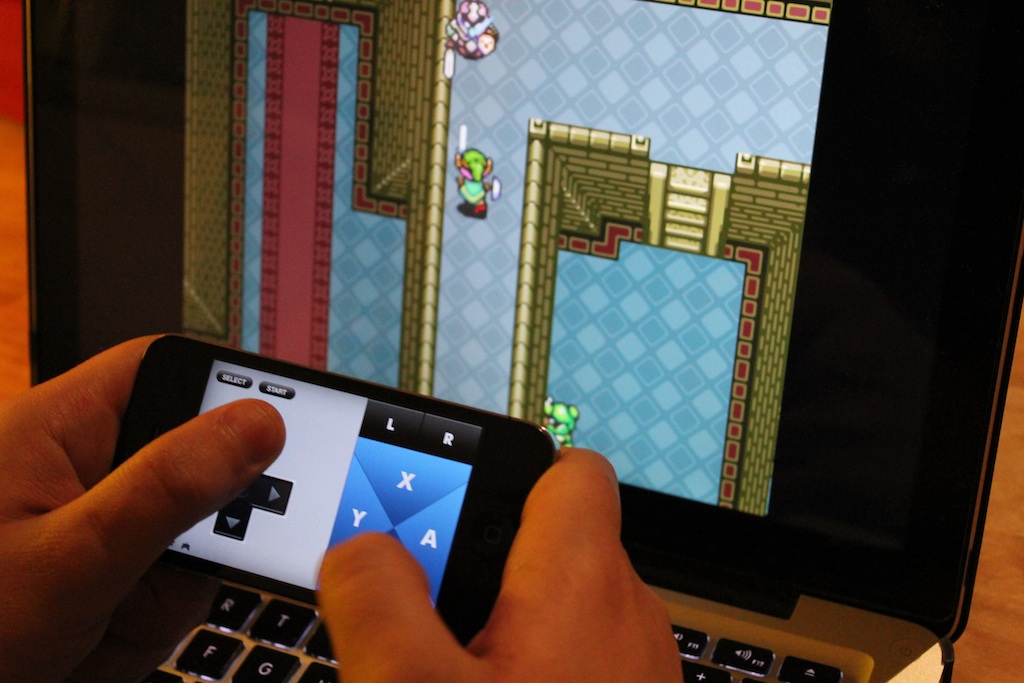
This will be somewhat obvious if you've played the various emulated games that Sega has released on the App Store, and other classic titles released by other developers… but often times these classic games simply require the precision and tactile feedback of a real controller. So, how well Joypad works is largely dependent on two factors: 1. How good you are at handling virtual controls. 2. The control demands of the game you're emulating and whether or not those will even jive with Joypad. Specifically, games that require super-precise D-pad dancing aren't so great. Also, games that require you to hold down more than two buttons can be hit or miss depending on what buttons they actually use and how often you need to use that button combination.
Another issue I've randomly run in to is that Joypad is highly dependent on a low-latency WiFi network. It has worked great in most locations, but this week I've been staying in an area of Barcelona with so many WiFi networks that my menu to select them on my Mac scrolls for ages. With the local WiFi signal spectrum this jam packed, I've had issues just browsing the Internet, so it's not much of a surprise that Joypad also suffers. I don't expect this to impact most people, but if you live in a super-crowded urban environment just be aware that your game controls will only perform as well as your local WiFi climate will allow.
That being said, Joypad is without a doubt one of my favorite non-game apps that I've tried lately. Sure, it was released almost a year ago now, so it's very existence will likely be old news for some. However, if you're like me and never really had reason to look for something like Joypad before, now you know about it. $3 for the app is also considerably cheaper than any worthwhile USB gamepad, and while it is by no means a substitution for real physical controls, it sure is a great travel companion.
<!-- PHP 5.x -->





.JPG)

.JPG)
.JPG)
.JPG)
.JPG)
.JPG)
.JPG)
.JPG)
.JPG)
.JPG)
.JPG)

.JPG)
.JPG)
.JPG)
.JPG)
.JPG)


.JPG)