Announced today as expected, iOS 5 will be arriving this Fall iOS 5 will be available as a free software / firmware update for iPhone 4, iPhone 3GS, iPad 2, iPad, iPod Touch (fourth and third generation). With over 200 new features, one of the most looked forward to changes was a new notification system and Steve Jobs certainly haven't disappointed Apple fans with this new upcoming update.

�
�
The top new features coming to iOS 5 include � Notification Center, an innovative way to easily view and manage notifications in one place without interruption; iMessage, a new messaging service that lets you easily send text messages, photos and videos between all iOS devices; and Newsstand, a new way to purchase and organize your newspaper and magazine subscriptions. With the new PC Free feature, iOS 5 users can activate and set up their iOS device right out of the box and get software updates over the air with no computer required.

�
"iOS 5 has some great new features, such as Notification Center, iMessage and Newsstand and we can't wait to see what our developers do with its 1,500 new APIs," said Steve Jobs, Apple's CEO. "Perhaps iOS 5's paramount feature is that it's built to seamlessly work with iCloud in the Post PC revolution that Apple is leading."
With iOS 5 and iCloud®, you just enter your Apple ID and password and iCloud will seamlessly integrate with your apps to automatically and wirelessly keep all of your mail, contacts, calendars, photos, apps, books, music and more, up-to-date across all your devices without ever having to connect to a computer.
�
 The new iOS 5 notification system known as Notification Center provides iOS 5 users with an innovative way to easily access all notifications � text messages, missed calls, calendar alerts, app alerts and more, all in one place, from anywhere in iOS 5. When they arrive, notifications appear briefly at the top of the screen without interrupting what you're doing. With one swipe you can see all your notifications, and a simple tap will take you right to its app for more detail. Notifications also appear as a list in a well organised, tidy fashion on the lock screen if all you want to do is have a quick glance, but with just one swipe, you'll be taken to the relevant app.
�
 iMessage in iOS 5 brings the functionality of iPhone messaging to all of your iOS devices � iPhone, iPad and iPod touch. This means Apple have started to make its way into the likes of applications such as the popular WhatsApp and KakaoTalk, which utilises users' phone number as ID and allow sending of unlimited texts, photos, videos, etc, via WiFi or 3G for free. Built right into the Messages app, iMessage allows you to easily send text messages, photos, videos or contact information to a person or a group on other iOS 5 devices over Wi-Fi or 3G. What makes iMessages even better is that it will automatically push to all your iOS 5 devices, making it easy to maintain one conversation across your iPhone, iPad and iPod touch. iMessage also features delivery and read receipts, typing indication and secure end-to-end encryption. The downside to iMessage will most likely be the lack of ability to message friends who use non-iOS devices such as Android.
�
 Newsstand is a beautiful, easy-to-organize bookshelf displaying the covers of all your newspaper and magazine subscriptions in one place. A new section of the App Store features just subscription titles, and allows users to quickly find the most popular newspapers and magazines in the world. If subscribed to, new issues appear in the Newsstand and are updated automatically in the background so you always have the latest issue and the most recent cover art.
�

�
 Safari is the world's most popular mobile browser, and with iOS 5 it's now been improved. Though some of the new features for web-browsing you may already be using via other apps, the improved Safari now offers it up all-in-one. New features include Safari Reader, which gets all the clutter out of the way and sets the right font size on a web page, so you can easily scroll and read through a story; Reading List, so you can save articles to read later and they automatically show up on all your iOS devices; and Tabbed Browsing, which makes it easy to flip between multiple web pages on iPad.
�

�
 Apple favouring Twitter and not Facebook? You could quite possibly say that, in iOS 5 users will get built-in Twitter integration, so you can sign in once and then tweet directly from all your Twitter-enabled apps, including Photos, Camera, Safari, YouTube and Maps with a single tap. New APIs give third party developers the ability to take advantage of the single sign-on capability for their own iOS 5 apps.


 Reminders app helps you manage your tasks, create and group related tasks together, and set time or location-based reminder alerts, priorities and due dates, so you can be reminded of a task as its deadline approaches, or when you arrive or depart a given location (how amazing is that?). The brilliant thing is you can now see your reminders also in iCal and Outlook and are updated automatically, no more excuses for not getting work done on time.

 New features in the Camera and Photos apps give you instant access to the camera right from the lock screen, which means no more delay for capturing that perfect moment, plus you can now use the volume-up button to quickly snap a photo. Optional grid lines help line up your shot and a simple tap locks focus and exposure on one subject.
�

In addition, the new Photos app lets you crop, rotate, enhance and remove red-eye, and organize your photos into albums right on your device � offering you a simple version of iPhoto while you're on the go. With the new PC Free feature, iOS 5 users can activate and set up their iOS device right out of the box with no computer required, and iOS software updates are delivered over the air and installed with just a tap. Or if you want to restore from a backup copy of your iOS device, you'd be able to do that wirelessly via iCloud.

Probably, last but by no means the least, a feature which 100% of iOS users have wanted � Wi-Fi Sync arrives in iOS 5, lets you transfer and backup your content securely over SSL and wirelessly syncs purchased content from your device to your iTunes library on your Mac or PC.



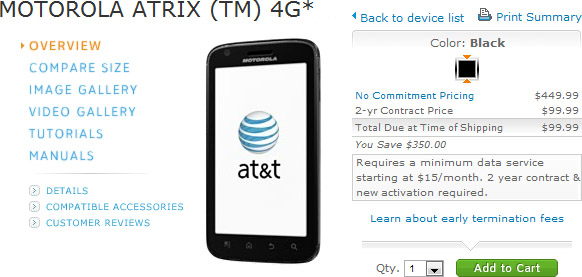 AT&T launched their first ever dual-core device which is known as