Thursday, June 16, 2011 6:59 AM

 When EA released Ultimate Mortal Kombat 3 [99�/HD] last December, it struck me as kind of a strange release. It wasn't a direct port of the original arcade game, though it did retain the original music and sound effects. Instead it was a brand new version of that game completely redone with 3D graphics, and it also came with a healthy cut in the roster and number of arenas. The move to 3D visuals was puzzling as it somewhat alienated the fans of the original game, but at the same time they looked pretty sweet. The character models were kind of blocky, but the new 3D backgrounds looked absolutely fantastic, especially at high resolution on the Retina Display.
So looking past the dramatic visual change, whether you loved it or hated it, Ultimate Mortal Kombat 3 was actually a competent little fighter on the iPhone, and I wound up liking it quite a bit in our review. The virtual buttons worked about as well as you could expect them to in a fighting game, despite some instances of inconsistent responsiveness. An iPad version was released a couple of months later, and came with an interesting (but not very practical) same-device multiplayer mode and more detailed graphics. Personally, I also found the game easier to play on the iPad with the larger screen.
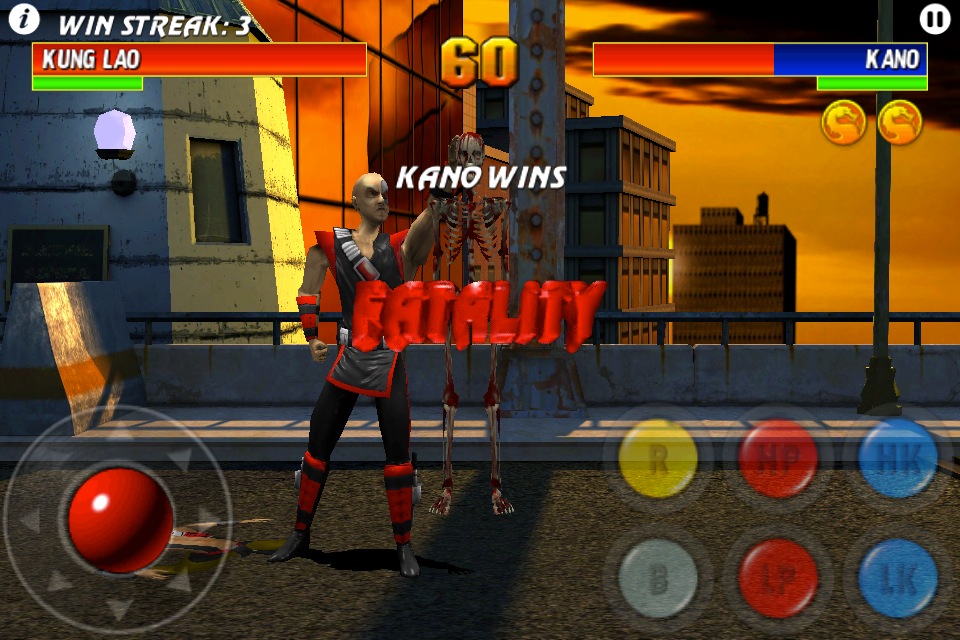
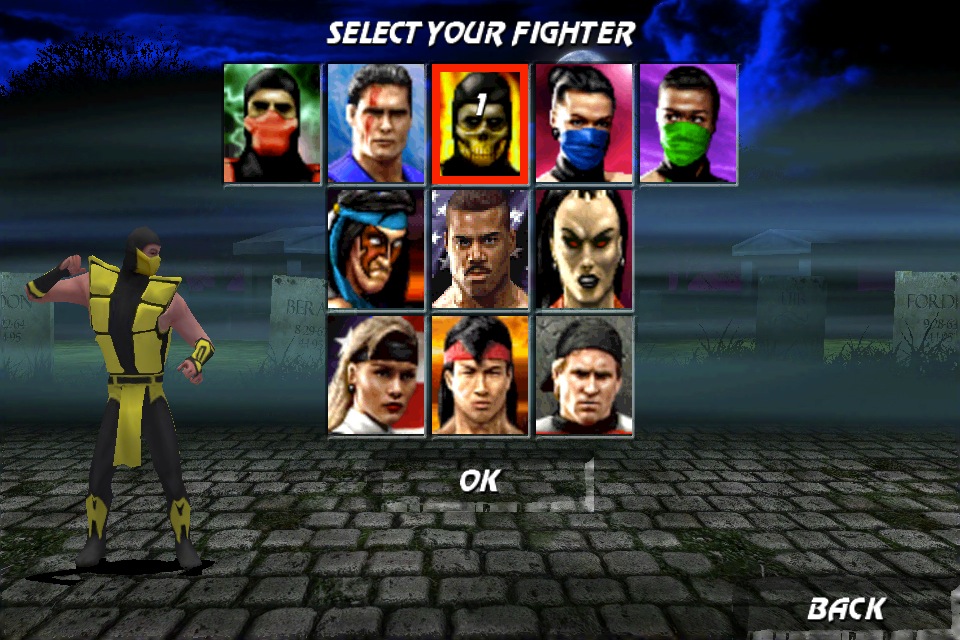
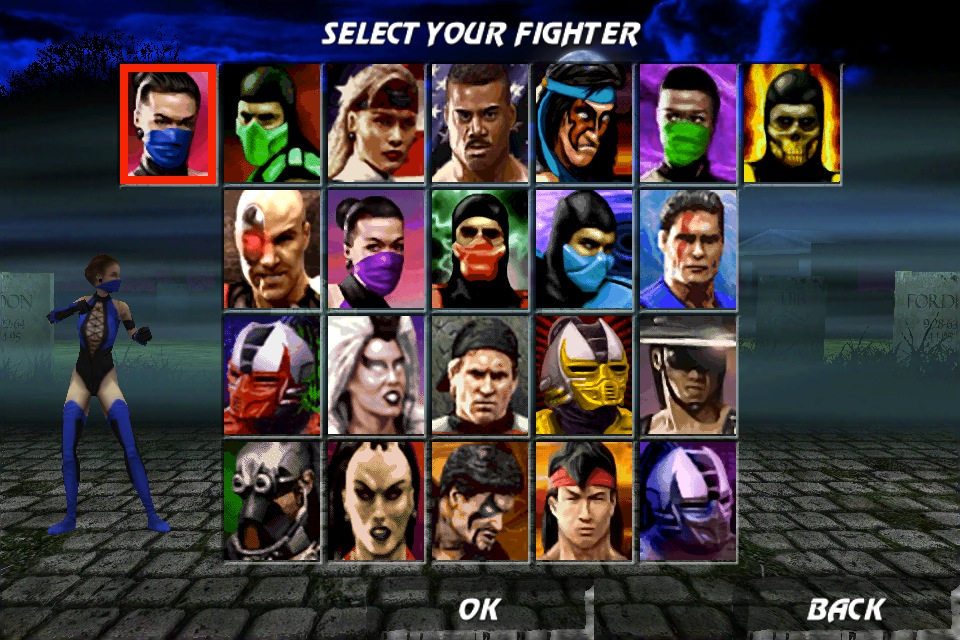
The major issue I had with Ultimate Mortal Kombat 3 on iOS was that for some reason the developers only included roughly half of the original fighters, and only 10 of the arenas. I can deal with new graphics and less than ideal controls, but at least give me the complete experience when I'm trying to get my Mortal Kombat nostalgia fix while waiting for the bus. Thankfully, today EA has released a major update to Ultimate Mortal Kombat 3 that does just that. You can now choose from the full roster of more than 20 characters from the original game, and the 6 arena backgrounds that were missing in the initial release are included too.�I'm also happy to report that the weird occasional control lag that I mentioned in the review of Ultimate Mortal Kombat 3 seems to have disappeared as well, though there's no mention of this in the update description.
Check out the paltry selection of fighters in the pre-update screen on the left, compared to the full roster of the arcade game post-update on the right:
With my two major complaints now taken care of, the lack of characters and the wonky controls, I'm now having even more fun with Ultimate Mortal Kombat 3 on iOS. It's not perfect, and it's not quite up to par with Street Fighter IV [$1.99] as far as touch screen fighters go, but as a huge fan of the series I love having a version to carry around in my pocket at all times. If you're also a Mortal Kombat fan then you should easily get a dollar's worth of enjoyment out of the game. The iPad version is slightly superior in my opinion, but it also comes in at five times the price.
Even though it took a while, I'm glad EA came through with an update for Ultimate Mortal Kombat 3 that completes the game, and I would really love to see other entries in the series brought to iOS in similar fashion.
<!-- PHP 5.x --> Last month,