Android is one of the leading mobile operating systems in the world and Google recently announced next version of Android at Google I/O which is known as Ice Cream Sandwich a.k.a Android 4.0. Google is calling it combination of Gingerbread and Honeycomb and it will be available for both Android phones and tablets. BGR recently shared some information about the next Google Nexus device and the specs were satisfying and now BGR is back again with some more information related to Google next Nexus device, and this time it brings some more juicy information. They are now reporting that the Google flagship device will be manufactured by Samsung and it will feature Samsung Super AMOLED HD display as well as TI OMAP4460 processor. Rumor has it that Google will launch it as Google Nexus Prime. Like if you know about Transformers series, Optimus Prime is leader of all the autobots so just like that, Nexus Prime will be leader of all Android devices.

Google is planning to launch Nexus Prime with multiple carriers not only with one specific carrier so hopefully, we will see the next Nexus device on multiple carriers. In near future, we will see a lot of amazing Android devices from manufacturers like Motorola, HTC, Samsung and LG running on Android 4.0, so I am sure Android fanboys are so excited after reading this. It's still a rumor so don't take it serious, it's still possible that either LG or HTC will be manufacturing it, so stay tuned.

Well, Apple fanboys are happy with iPhone 5 rumors, what are your thoughts after listening about Nexus Prime Android fanboys?

Read

Related Posts with Thumbnails


Powered By WizardRSS.com | Full Text RSS Feed | Amazon Plugin | Settlement Statement | WordPress Tutorials

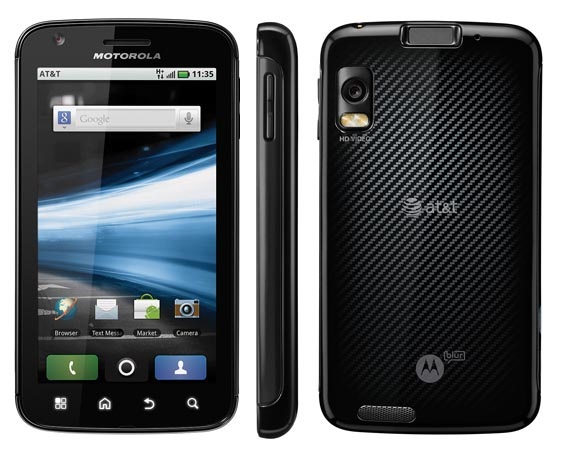
Atrix was the first device by Motorola to come out with a dual core processor. The only problem with this device was that it came out with Android 2.2 Froyo coupled with a locked bootloader. There is good news for all the Atrix users, Motorola will be rolling out a Gingerbread update soon which will also include unlocked bootloader. This gingerbread update was leaked by the guys at Xda developers. Also the bootloader was unlocked. If you have the Atrix and want to unlock the bootloader then you can follow this simple guide. This works on both Gingerbread and Froyo.

Warning:

  • This procedure will VOID your WARRANTY
  • You will be able to flash custom ROMs once you unlock the bootloader
  • Backup your data because you will be losing all your data while performing this procedure
  • Read the whole guide before doing the procedure

Downloads:

For devices running Android 2.2 (Froyo):

  • Download Unlock SBF file from here
  • Download RSD Lite 5.3.1 from here
  • Download fastboot packages from here

For devices running Android 2.3 (Gingerbread):

  • Download fastboot packages from here

Procedure:

For devices on Froyo:

  • Switch off your Motorola Atrix
  • Take out the microSD card and SIM card from the device
  • Switch on the phone and press volume up button until you a screen which shows, "Starting RSD Protocol Support"
  • Run the RSD Lite which you just downloaded on the computer
  • Unzip the SBF file you had downloaded to a folder which you can easily access
  • On RSD lite click on "…" just beside Filename
  • Select the SBF file which you had unzipped
  • Connect the Atrix to your computer using the Micro USB chord
  • RSD Lite will instantly recognize your device and show you "connected" and "Model: NS Flash Olympus"� beside it
  • Click on the start button
  • The phone will reboot now. It will take some time to reboot
  • Unzip the fastboot� package you downloaded to a folder which you can easily access
  • Open cmd prompt on your windows PC (Go to run and type "cmd" and hit enter in windows 7 type "cmd" in search area and hit enter)
  • Travel to the fastboot folder from cmd prompt (for example you can give the command : cd C:usersadminDesktopfastboot-package)
  • Switch off your device
  • Press the power button and volume down button together until you see "Fastboot" on your screen
  • Now press volume up button
  • When you see "Starting Fastboot Protocol Support" on the screen connect your device to the computer using the microUSB cable
  • In cmd prompt type : "fastboot oem unlock" �(without "")
  • Now you will receive the device ID as soon as you press enter
  • Now in cmd prompt give the command "fastboot oem unlock <device ID>" (do not include <> and enter your device ID)
  • Give the command "fastboot reboot" (without "")
  • Your device will now reboot with an unlocked bootloader
  • Done!� You have successfully unlocked the bootloader of your Motorola Atrix

For Devices on Gingerbread:

  • Unzip the fastboot� package you downloaded to a folder which you can easily access
  • Open cmd prompt on your windows PC (Go to run and type "cmd" and hit enter in windows 7 type "cmd" in search area and hit enter)
  • Travel to the fastboot folder from cmd prompt (for example you can give the command : cd C:usersadminDesktopfastboot-package)
  • Switch off your device
  • Press the power button and volume down button together until you see "Fastboot" on your screen
  • Now press volume up button
  • When you see "Starting Fastboot Protocol Support" on the screen connect your device to the computer using the microUSB cable
  • In cmd prompt type : "fastboot oem unlock" �(without "")
  • Now you will receive the device ID as soon as you press enter
  • Now in cmd prompt give the command "fastboot oem unlock <device ID>" (do not include <> and enter your device ID)
  • Give the command "fastboot reboot" (without "")
  • Your device will now reboot with an unlocked bootloader
  • Done!� You have successfully unlocked the bootloader of your Motorola Atrix

Now you will be able to flash custom ROMs on your device. So let the flashing begin!

Source: XDA Developers

Related Posts with Thumbnails


Powered By WizardRSS.com | Full Text RSS Feed | Amazon Plugin | Settlement Statement | WordPress Tutorials

Fring is one of the most popular group video call apps for both iOS an d Android operating systems. It now has released a new updated iPad optimized version for your iPad 2. You can now enjoy group video calls up to three other users on a big screen.


The new Fring update comes after the leaked video of a new Skype app made for iPad, and Skype has confirmed that their new app would be available soon.

The Fring allows users to video call via both 3G netword and Wi-Fi. Apart from 4-way chat, other features of Fring includes landlines calls and text chat. The update 5.1.1.2 also includes various bug fixes, a new drag and drop navigation and Bluetooth features.

[via Slashgear]

Related Posts with Thumbnails


Powered By WizardRSS.com | Full Text RSS Feed | Amazon Plugin | Settlement Statement | WordPress Tutorials

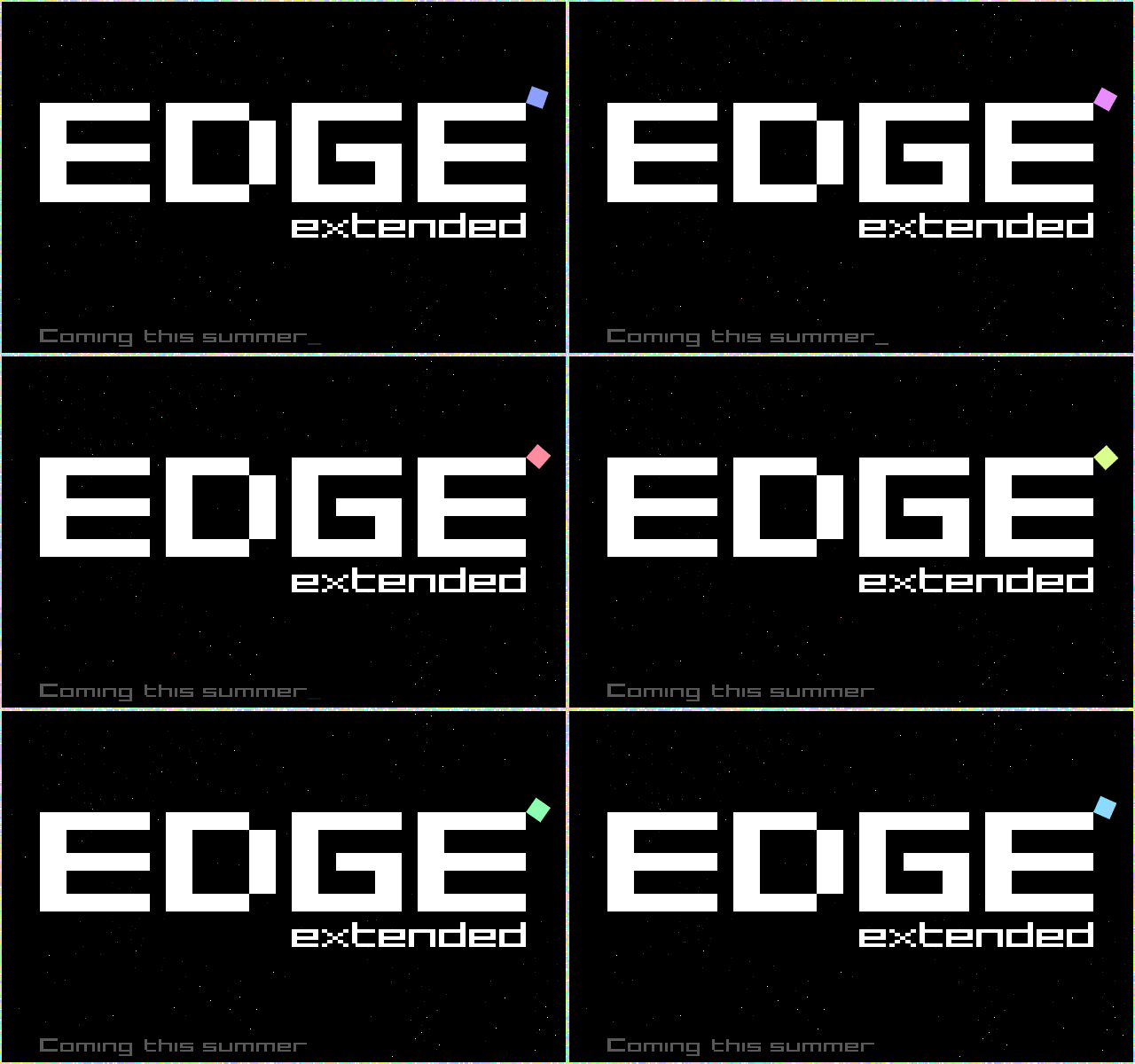
Take a nice long look at this teaser image, because it's all that we know right now:


(Click for this image in gloriously animated .gif form.)

This is courtesy of a tweet this morning, and it's really not that hard to speculate what Edge Extended might be about. It seems pretty obvious that Extended would be a continuation of Edge [$2.99], which is a fantastic puzzle-centric platformer. It would seem to me that they couldn't just simply release a new game that's the same as the old one with different levels, so it also wouldn't shock me to see some new gameplay elements included. What those are is anyone's guess.

As soon as more details leak out of Mobigame, we'll be on top of 'em.

<!-- PHP 5.x -->


Powered By WizardRSS.com | Full Text RSS Feed | Amazon Plugin | Settlement Statement | WordPress Tutorials