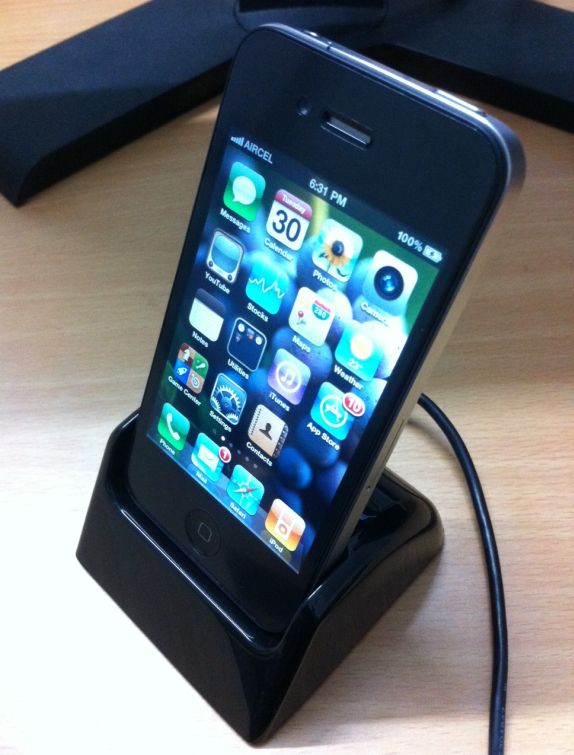
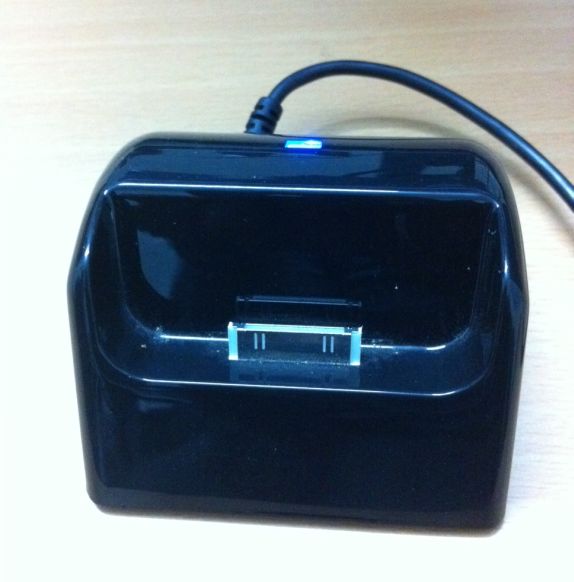
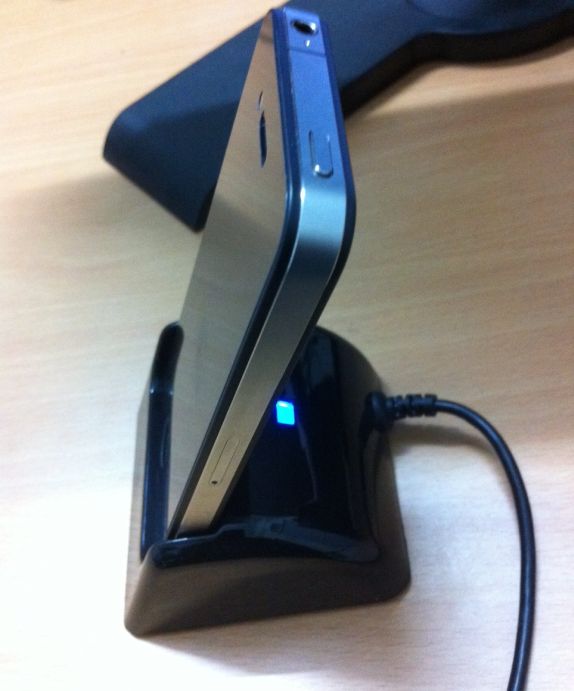
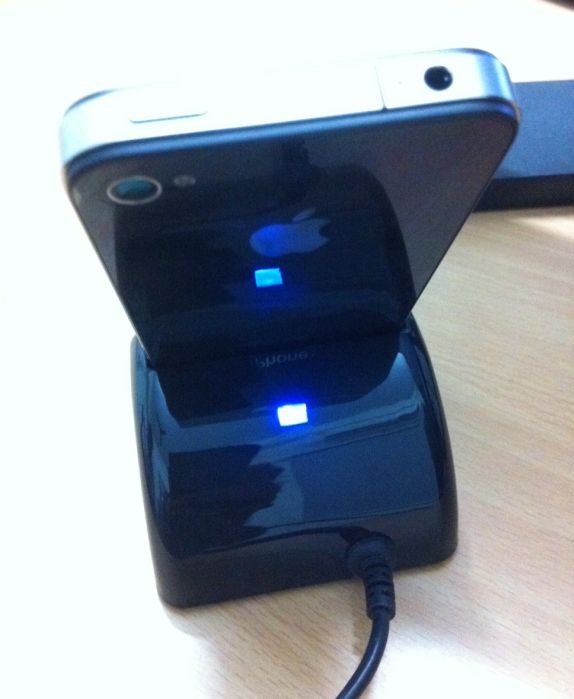
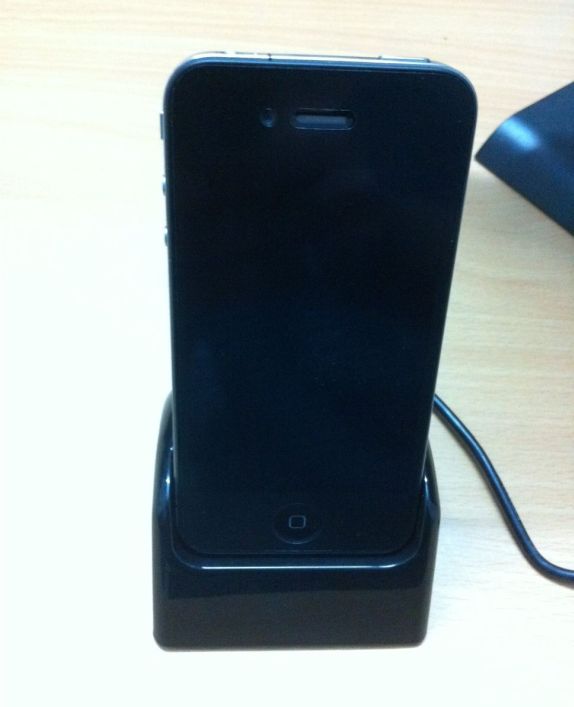
If you are looking nice little 3rd party iPhone 4 Desktop Cradle , you can surely consider the USB Desktop Cradle from MobileFun. You can charge your iPhone 4 through your PC's USB port or via your AC power outlet using the USB AC Adaptor The length of the cable is fairly long and you wont have a problem connecting it. Although the cradle feels light and I had the fear it might topple , it does hold the iPhone firmly.

The is a little blue LED on the back of the cradle to indicate the phone being charged / synced

If you would constantly like to charge your phone without having to deal with the USB Cable, then such a dock would be a wise buy.

You can buy the cradle for your iPhone 4 from MobileFun for GBP 19.99

Related Posts with Thumbnails<!-- Begin SexyBookmarks Menu Code --> <!-- End SexyBookmarks Menu Code -->


Powered by WizardRSS | Work At Home Jobs

Introduction

Protecting your device/mobile phone is always a big issue. No matter how careful you are with it, there is always a chance that it can suffer a few scratches, knocks and cuts. Another issue is the extra bulk that covers and cases add to your device thus making the device uncomfortable to use.

This is where ZAGG's Invisible Shield for Nokia N900 enters. It provides superior protection to your device without adding any extra weight or discomfort to your device. The Invisible Shield has its origins in the military where it was used to protect the blades of helicopters from wear and tear while travelling at 100s of miles per hour.

ZAGG claims that their Invisible Shield is the one of the toughest protection available for devices. Let's take a look to see if it's true.

Design

The Invisible Shield can be purchased as a full body protection or just as a screen protector alone. We are reviewing the full body protection here and the screen protector is also included in the packaging. All the Invisible Shields are made from the same kind of material. Its high flexibility allows it to be made in different shapes and sizes to be put on different devices. It is clear plastic so it makes sure that the good looks of your device aren't covered.

Installation

The Invisible Shield comes with a Liquid and a Squeege both of which are used to apply the Invisible Shield. There are very clear, easy and accurate instructions on how to install them. First you wet your fingertips with the liquid spray they provide, then peel out the Invisible Shield corresponding to the part you want to place it on, spray the Shield also with the liquid so as to help it stick onto the surface and finally apply it carefully aligning it onto the devices surface.

You can re-apply the shield before it sets into place in case you have gotten it wrong by gently removing it and spraying the liquid again and repeating the procedure mentioned above.

Comfort and Safety

The Invisible Shield is just a tad bit thicker than usual screen protector material. So it doesn't add any extra weight or bulk to your device and thus remains the same size. The material is clear and thus it doesn't spoil the looks of your device either and the screen also remains perfectly visible.

It does however create a glossy look which some people may like while others may not. But when you touch it, it has a rubbery feel and thus it helps you to grip your device better. Your device also will not slide off the table because the back grips to surfaces. It is even able to rest against slopes.

It also helps to reduce fingerprints on the device. Dirt and smudges just come off as easily as wiping them off a plastic or glass surface. Scratches from sharp or pointed objects such as keys or pens etc do not have an effect on the protector. After a while the self healing properties of the protector make it back to normal.

The only problem it faces is that it cannot protect your devices against drops, if your devices falls from a height, it may not get scratches but it may be damaged.

Another advantage of the Invisible Shield is that it does not leave behind any residue upon removal . The full body protection covers even the corners of your phone making it look just like it did when you purchased it.

Price

The ZAGG Full Body Invisible Shield for the Nokia N900 is available at a price of 16.95 British Pounds or 22.88 Euros from mobilefun.co.uk

Plus ZAGG themselves provide a lifetime guarantee of replacement in case the shield is defective and causes any scratches or damage to your device.

Conclusion

The ZAGG Invisible Shield is the best way to protect your device is you want something that provides maximum protection without adding any bulk.

Related Posts with Thumbnails<!-- Begin SexyBookmarks Menu Code --> <!-- End SexyBookmarks Menu Code -->


Powered by WizardRSS | Work At Home Jobs

Facetime will soon finally meet its match. Well, it looks like Skype may finally have caught up with everyone else. A recently published Skype info support page has started providing instructions on how to make video calls from your iOS device, even though regular Skype users amongst you will already know that that is not currently a supported feature on the Skype app.

Apparently, Skype video calling will be available on both WiFi and 3G connection, no doubt, the quality of your call will be dependent on how fast your connection is. More importantly, users would be able to video chat with other Skype users on Mac OS X, PC and of course other iOS devices � a potential which Skype has always had but not yet fully achieved.

To add to this, Skype will also be on a panel at this year's CES called "Video Calling Gets Ready for Primetime" and will be making "series of video-related announcements."

[via 9 to 5 Mac]

How do I make video calls with Skype for iPhone?
The following questions and answers will help you get started with using Skype video calls on your iPhone.
To make video calls with your contacts, you will need an iPhone 4, iPhone 3GS, 3rd generation iPod touch, 4th generation iPod touch or an iPad. Your contacts will only be able to see you if your device has a camera. Make sure your device is running iOS 4.0 or above and that you are using Skype for iPhone 3.0 or above.

The contacts you are calling must be using one of the following Skype clients:

  • Skype for Windows version 4.2 and above
  • Skype for Mac OS X version 2.8 and above
  • Skype for iPhone 3.0 and above
You can make Skype video calls by using a WiFi or 3G connection*. The quality of the video will depend upon the available network conditions.
*Additional data charges may apply. Check with your operator for details.
If you have an iPhone or iPod touch with two cameras � front and rear � you will be able to switch between them during a Skype video call. If you have an iPhone 3GS it will always use the rear camera.
If you turn your device into landscape mode, the camera picture will automatically rotate.
In both portrait and landscape mode double tapping anywhere on your screen will zoom the picture to take up the full extent of the screen. Double tapping again will take the picture back to its normal size.
While on a Skype video call the sound will always be played through the loudspeaker, unless a headset is plugged into the device.
During a video call tap your screen to display the camera and microphone controls. Tap and hold down the microphone button to put the call on hold. To resume the call, simply tap thehold symbol on the screen.
Yes, at any time during a Skype video call you can choose to turn off the video. Tap theCamera button and select the�No Cameraoption. To turn the video back on tap theCamera button again and then tap the camera you want to switch on.
When your iPhone is processing a lot of video its CPU (Central Processing Unit) has to work very hard and makes the iPhone become warm to the touch. You will experience the same thing if you stream videos through applications like Netflix or YouTube.
Yes, you will be able to receive screen shares from people using Skype for Windows or Mac OSX. You cannot share what is on the screen of your iPhone with other people and you cannot receive a screen share from another iPhone user.
No, you will be switched to audio only, as Skype for iPhone does not support group video calling.

The quality of the video you send and receive from your iPhone will depend upon the quality and bandwidth available on the WiFi or 3G network you are connected to. For best results, make sure you have nothing else running that might use up your bandwidth.

Related Posts with Thumbnails


Powered by WizardRSS | Work At Home Jobs

A few days ago, we saw the world biggest iPhone in a London railway station. Now it's time to watch the biggest Android device on planet. This big device is actually the Nexus S, and it doesn't consist of any tablets like the giant iPhone. If you want to see the big Nexus S, then visit the Best Buy down in San Carlos, California, and don't think that you can carry it in your pocket, because the size of this Nexus S is 42 Inches. Our friends over at TechCrunch were lucky enough to record a video of this huge Nexus S. So check out the video , in which you will see Paper Toss, Google Maps, Android Market and front facing camera running on the giant Nexus S, and don't forget to tell us what you think!

Related Posts with Thumbnails<!-- Begin SexyBookmarks Menu Code --> <!-- End SexyBookmarks Menu Code -->


Powered by WizardRSS | Work At Home Jobs