blackberry playbook

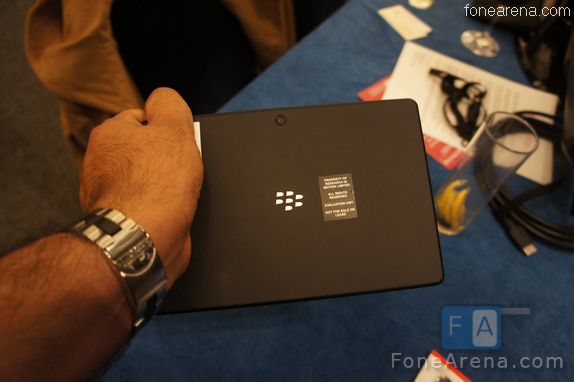
At MWC 2011� we got up close with the BlackBerry Playbook which is RIM's Tablet running on the BlackBerry Tablet OS (QNX) . You can take a look at the photos of the Playbook below and boy ! it was pretty small in person compared to the photos you might see on the internet.

The hardware was solid and pretty nice to grip. It was only the software which seemed new but multitasking rocked. Yet we are concerned about the no of apps the device will have at launch.It supports� Adobe Flash and AIR.

blackberry playbook homescreen

It has a 7 inch display yet sports a 1024x600px resolution. 3MP Camera in the front.

blackberry playbook

5 Camera on the back

blackberry playbook

It's light at little over 400 grams in weight

blackberry playbook

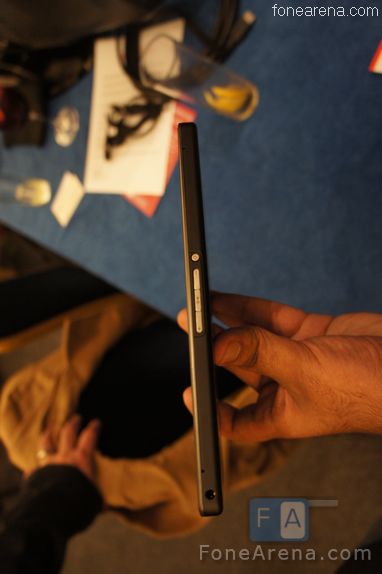
Power button , volume keys and play/pause button on top along with 3.5mm audio jack

blackberry playbook

Its 10 mm in terms of thickness

blackberry playbook

The microUSB port and micro HDMI port along with docking pins sit on the bottom

blackberry playbook

blackberry playbook

The PlayBook does look like one impressive tablet but one thing which left us puzzled is how the the device handles Email by pairing with your Blackberry via Bluetooth. It may sound great for security reasons but it would be crazy if the device can't handle email without a BB !

Check out Video from CES

Related Posts with Thumbnails<!-- Begin SexyBookmarks Menu Code --> <!-- End SexyBookmarks Menu Code -->


Powered By WizardRSS.com | Full Text RSS Feeds | Amazon WordPress PluginHud 1 Settlement Statement

samsung stealth v

At MWC 2011 , we saw an interesting unbranded phone from Samsung for Verizon (model SCH_i510) . The device was simply called the Samsung 4G LTE Phone , but now there are reports that this is indeed the Samsung Stealth V running on Android 2.2 Froyo. It has a unique design , a 4.3 inch Super AMOLED Display , 8 MP Camera with 1080p recording. Other features include HDMI out and a 2 MP front facing camera. While we played with the device , it was running on FroYo and it might launch with Gingerbread.

samsung stealth v

samsung stealth v

samsung stealth v

samsung stealth v

samsung stealth v

The phone support's Verizon's 4G LTE Network

samsung stealth v

samsung stealth v

samsung stealth v

3.55 mm jack and microphone on the top

samsung stealth v

Note the model number and Firmware version

samsung stealth v

It might be the first 4G phone to launch on Verizon and is expected to launch in summer 2011

samsung stealth v

samsung stealth v

samsung stealth v

Related Posts with Thumbnails<!-- Begin SexyBookmarks Menu Code --> <!-- End SexyBookmarks Menu Code -->


Powered By WizardRSS.com | Full Text RSS Feeds | Amazon WordPress PluginHud 1 Settlement Statement

Labels:

Seagate's been in the hard drive business for donkeys years and recently we were sent one of their relatively new (2010) FreeAgent GoFlex 320GB portable external hard drives for a review. Their main selling point? � Its the 'World's most upgradeable hard drive', we'll see in the quick review below what they actually mean by that.

Design

Available in metallic silver, black, blue and red depending on your choice of memory capacity (up to 1.5TB), we've got the lowest capacity 320GB version. Our first impressions were that it comes with the typical rather high-maintenance-but fancy gloss paint, especially our black one but to hold, it weighs just 150g. Like our Iomega Prestige portable hard drive which we frequently use here at GadgetLite, its not too fiddly, the only other accessory you need is the adapter and USB cable to get started. We'll be talking more about the advantages of its adapter below.

It isn't the thinnest portable drive you'll ever see, and it isn't thinner than your iPod Touch but its not too far off at just under 14mm as our 20p coin demonstrates.

Features

The Seagate FreeAgent GoFlex ultra portable drive houses a 5400 rpm 2.5? hard disk, this is instead of the newer, faster but usually more pricier 7200 rpm hard disk. If you read earlier, Seagate boasts its new line up of GoFlex portable drives to be the world's most upgradeable, this is explained mainly by its interchangeable interface adapter not because its drives are 'futureproof' as such.

Interface Connectors

As you can see in the photo above, the pictured USB 2.0 interface connection adapter which came out of the box is made of two parts, a universal connector for all GoFlex drives and at the other end a cable which offers the possibility of an upgrade for greater file transfer speeds. So essentially what Seagate have done with its GoFlex family is given them all the same connection adapter but made it universally fitting for a range of different cables, this means if you opt to buy a specific, dedicated cable upgrade kit, for example Firewire 800 kit for your Macbook Pro, you just need to plug in that cable but use the same drive as normal.

Its considered to be 'most upgradeable' simply because of this, the current available options for upgrade are USB 3.0 eSATA and Firewire 800 � this is only if you're unhappy with USB 2.0's transfer speed and need to shift large files quickly. Frankly, the downside is you'll probably find yourself carrying both cables as we reckon USB 2.0 will still be the most compatible across whatever machines you're looking to hook up with for a number of years to come.

If you stick to the USB 2.0 which comes with the drive, theoretically you'd get a transfer data speed of roughly 57 MB/s. However, due to the mechanical nature of the drive and transfer protocol of USB 2.0, the transfer speed won't hit that upper limit, although it may come close.

Benchmarking

So let's test out some transfer speeds, we did a quick comparison with our Iomega Prestige portable drive which is too a 5400 rpm 2.5? hard disk but with 500GB capacity. We tested the drives on the same USB port one by one on our MacBook Pro using Xbench, and here were the results.

Seagate FreeAgent GoFlex 320GB

Iomega Prestige 500GB

As you can see in the screenshots above, there were barely any noticeable differences between the Seagate's and the Iomega's performances. Unfortunately we couldn't test the USB 3.0 cable kit we were sent as we only had our MacBook Pro as our testing platform but based on other reviewer's benchmark results we were able to see the following improvement in transfer speeds:

Seagate FreeAgent GoFlex 500GB (USB 2.0) Benchmark

Linear Read (Begin): 32.1 MB/s
Linear Read (Middle): 31.6 MB/s
Linear Read (End): 32.1 MB/s
Random Read: 31.5 MB/s
Buffered Read: 29.7 MB/s
Average Read Access: 23.13 ms

Seagate FreeAgent GoFlex 500GB (USB 3.0) Benchmark

Linear Read (Begin): 81.3 MB/s
Linear Read (Middle): 66.7 MB/s
Linear Read (End): 39.5 MB/s
Random Read: 64.2 MB/s
Buffered Read: 83.8 MB/s
Average Read Access: 22.12 ms

[via MyDigitalLife]

As you can see, using a USB 3.0 interface adapter / cable does at least double transfer speeds but from the testing above, it would be difficult for us to imagine how using the upgrade kit could allow you to receive up to x10 faster speeds than USB 2.0 (as claimed by Seagate).

Seagate Dashboard and Memeo Instant Backup � is it any good?

If you're a Mac user, we wouldn't advise you to dig into using Seagate's included Dashboard backup solution software as Time Machine on Mac OS X works just as well if not better. If you're a PC user, the drive will already have prompt you automatically to install Seagate Dashboard and therefore start running Memeo Instant Backup when you first plug in (if not, its setup files can be located within the drive itself).

Essentially Seagate Dashboard comes from Memeo, unfortunately, with your purchase of the GoFlex drive, you'll only get a free license to the full Memeo Instant Backup and not Premium Backup, Memeo Sync, Memeo AutoSync, Memeo Share and Memeo Send, all of these are trial only.

As for the features of Memeo Instant Backup, here's a quick summary…

  • Secures backed up files and protects privacy with powerful encryption.
  • Schedule backup.
  • Restore entire drive or individual files.
  • View at-a-glance drive statistics, including available capacity.

When we started it up for the first time, it started to backup based on our customised setting (complete or selected folders / drives) and worked as a background device, doing a complete backup 1:1 copy which we selected including all open files. Immediately after the backup, you can eject the drive, however, Instant Backup will continue to be running in the background monitoring changes that you make to your drive / folders. This is different from Time Machine for Mac which has the same feature but only runs when your drive is plugged in, in contrast Instant Backup will constantly do this in the background without taking away too much of your system's resources.

The next time you are connect your drive, only those changes that have been made are saved and used for creating a new backup and thus it won't need to take as much time as it did the first run. In case something gets lost or a file gets damaged, its also possible to restore the files by simply dragging the chosen file from the backup. If the backup at some point gets too full, the older files are automatically deleted. The majority of backing up during our testing ran in the background without any annoying prompts, in fact, we just needed to plug it in and continue writing our review, it was that simple to use.

Conclusion

Seagate offers the FreeAgent GoFlex 320GB ultra portable external hard drive here in the UK with a pricetag of �69.99, which is at a relatively high end of the portable drives' normal price range considering it only boasts 320GB capacity. You also receive only a 2-year limited warranty to protect against factory defects, nothing outstanding taking into account what you're paying.

Despite this, you can see in this review as we have highlighted, a number of excellent features which are not normally found or done brilliantly from other brands. From our benchmark testing, you'll have noticed that just the drive alone with a standard USB 2.0 connection, the portable drive performs at a similar speed to other brands (in this case, our Iomega Prestige) but the advantage of buying a FreeAgent GoFlex family drive kicks in as soon as you resort to an upgrade kit specific for your machine. Though number-wise, we were disappointed that didn't see a performance improvement as significant as what Seagate had claimed, we were still pleased with the results.

Pros

  • Slim, small highly portable design
  • Universal interface connectors which are used across the current GoFlex family of portable drives
  • Offers the possibility of upgrade for greater transfer speeds

Cons

  • High maintenance glossy design if you opt for any of the colours except silver
  • Pricey for the capacity you're getting, but a definite bargain if you can find it at a discounted price
  • Unable to reach anywhere near the claimed transfer speed with the upgrade kit
Related Posts with Thumbnails


Powered By WizardRSS.com | Full Text RSS Feeds | Amazon WordPress PluginHud 1 Settlement Statement

The story with Android has been quite similar these last few years: manufacturers seem to always be on the run to deliver bigger, faster, better, devices with more specs inside than anyone can humanly memorize. Dual-Core processors, 4.3? screens, 3D displays, HD video recording… are all interesting, except they target what? maybe 5-10% of the users. The rest, well, they get very confused and somewhat overwhelmed with these features. They want a phone, that's it. Maybe they want Facebook in there, a camera of sorts, and email would be a nice plus. For those, the Samsung Galaxy 5 is perfect.
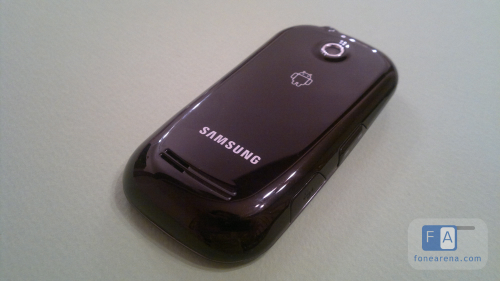
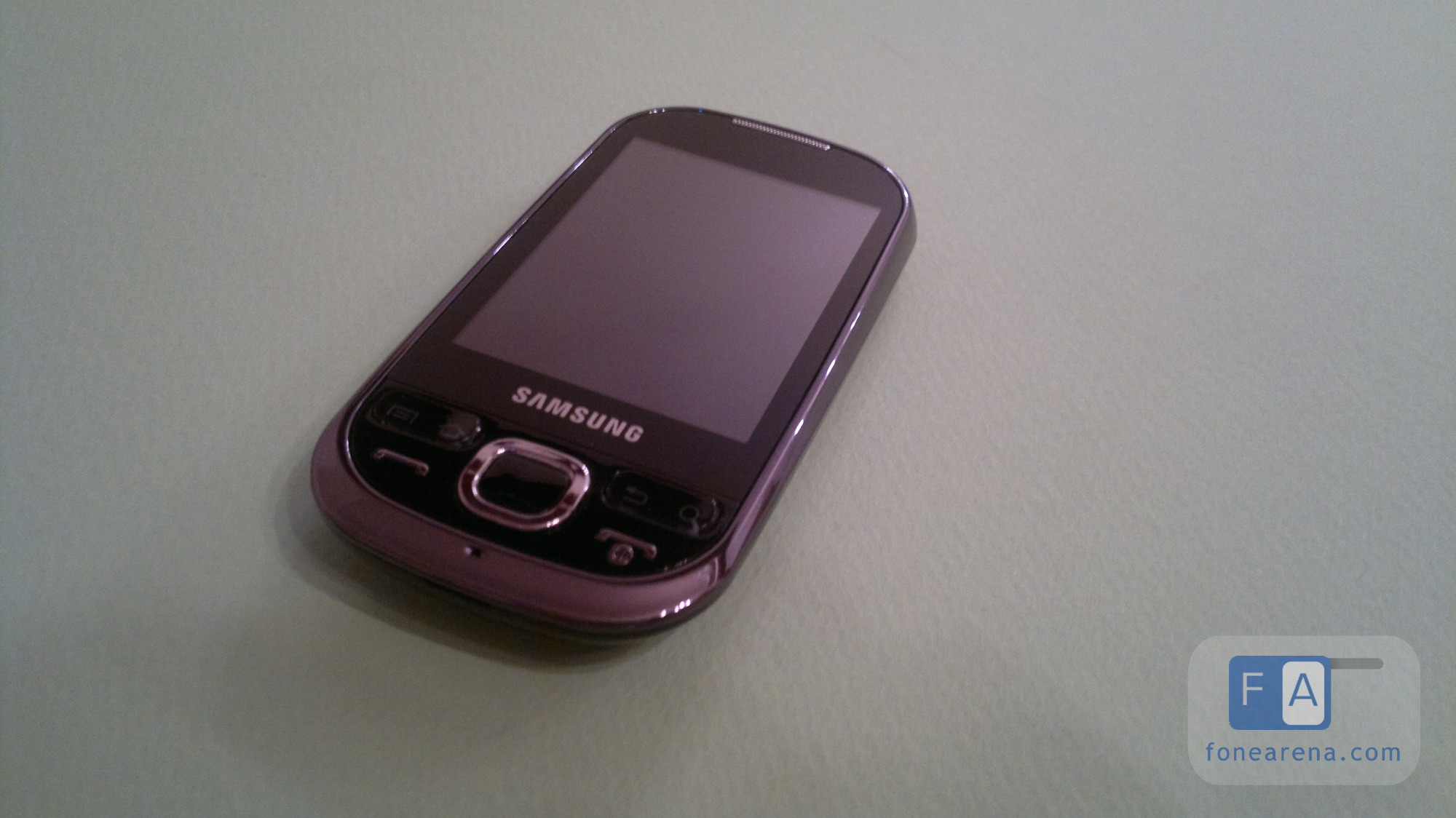
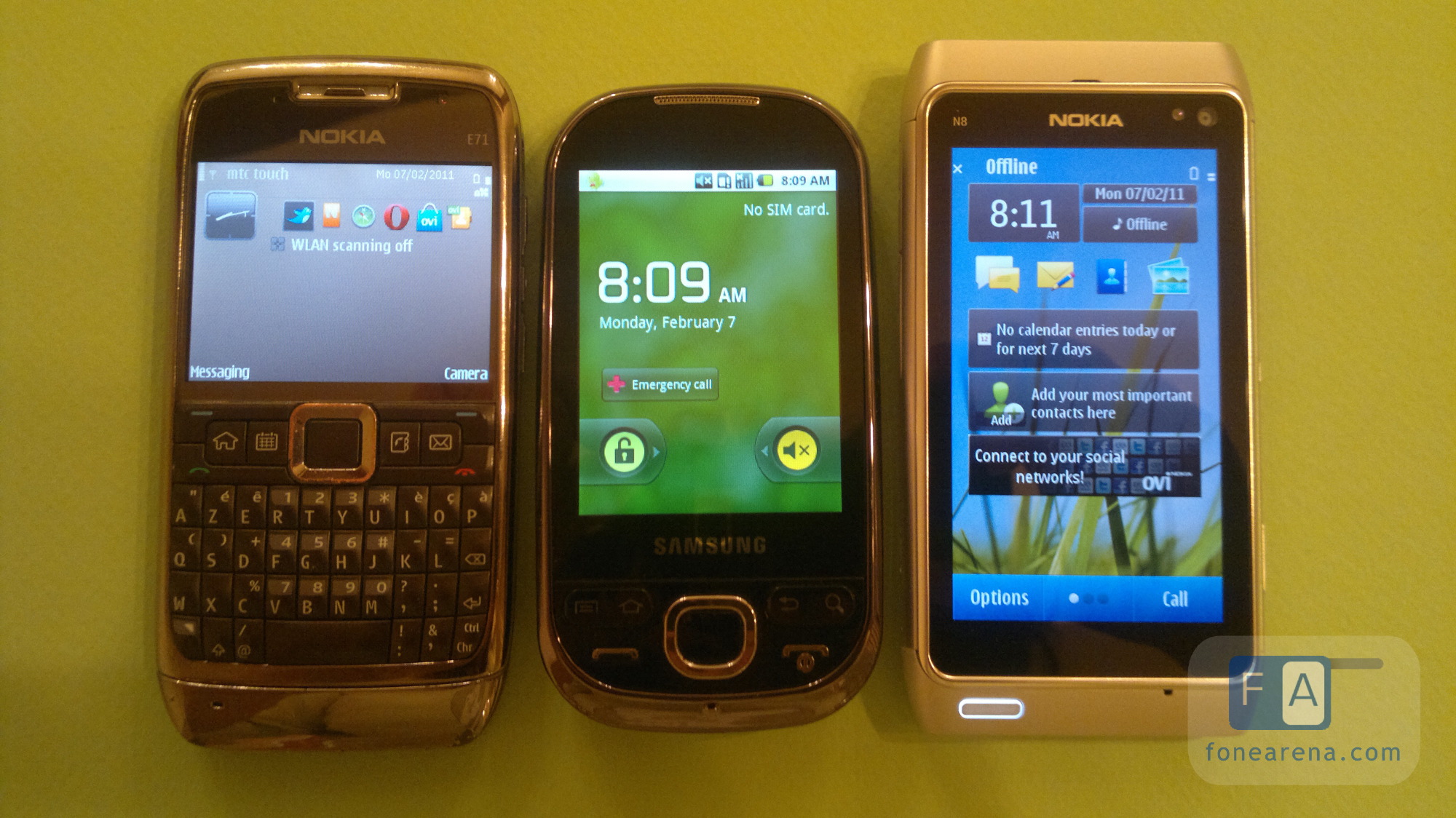
The Galaxy 5 is the smartphone brother of the iconic Samsung Corby, a device with a simple design, dedicated keys for calls, quite limited features in terms of camera and other hardware, but it packs Android Eclair 2.1 instead of Samsung's dumbphone OS. But the question is does this mix work?

In a word, yes. The Galaxy 5 has everything in it to take the average Joe phone user, seduce him, and introduce him to Android and smartphones. Below is a list of 5 things to love about the Galaxy 5.

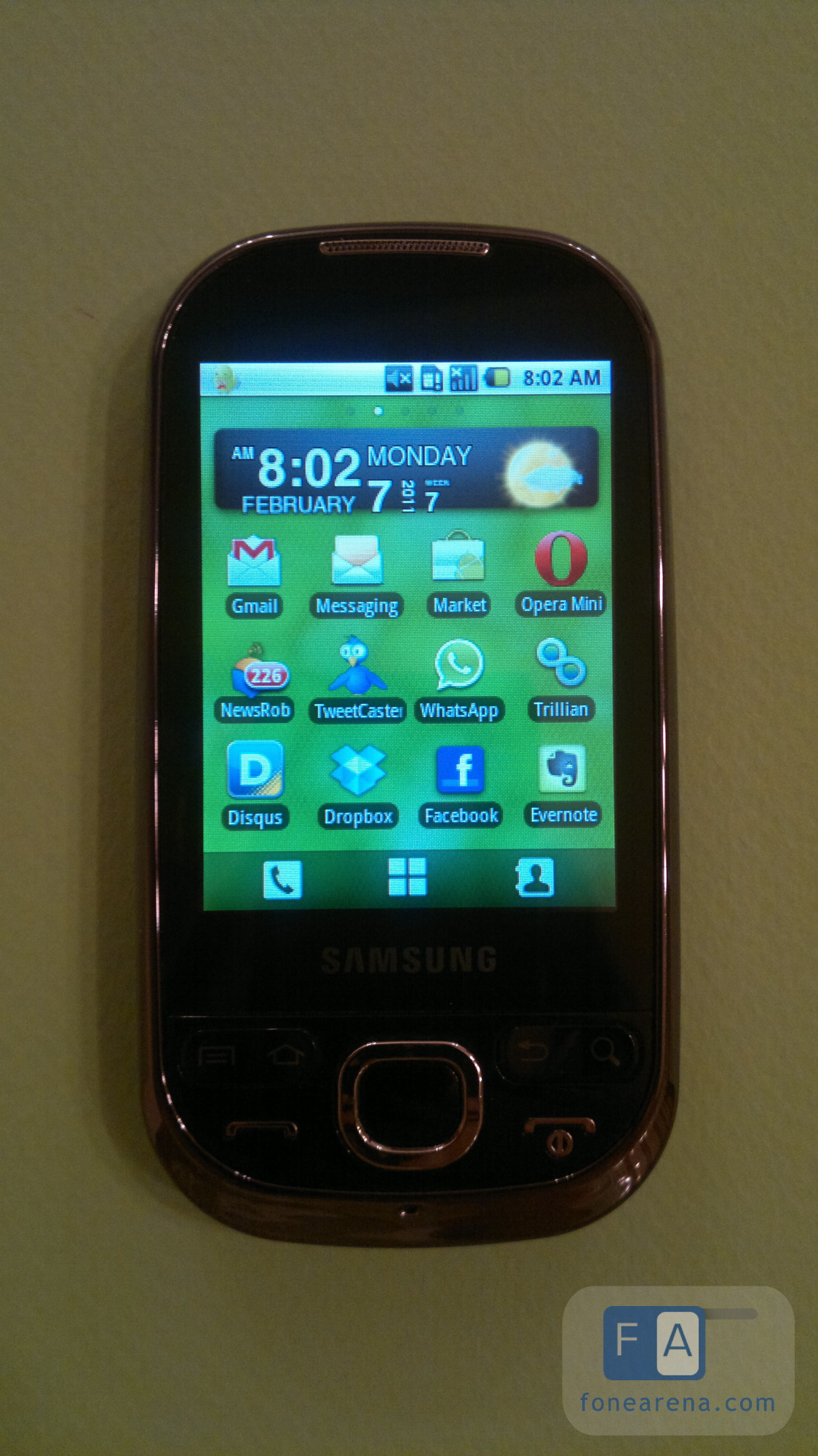
1. It runs Android Eclair 2.1: while being a bit old, Eclair is miles ahead of Donut 1.6. Some markets, specifically in South America, have shipped Froyo 2.2 for the Galaxy 5, making it quite a modern offer in terms of software. And despite all the hardware limitations, the software is the full Android version, with the Samsung TouchWiz UI on top.


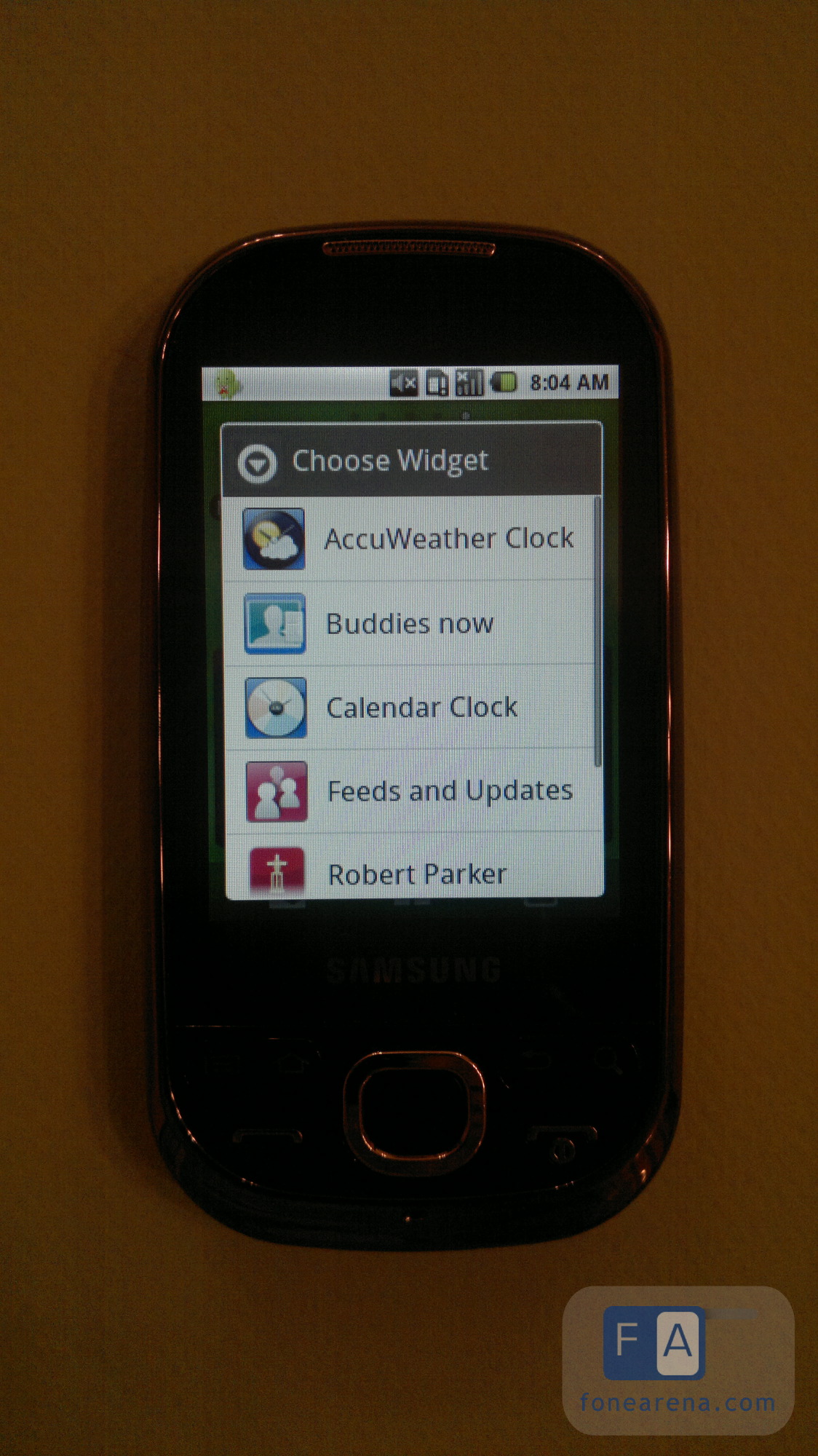
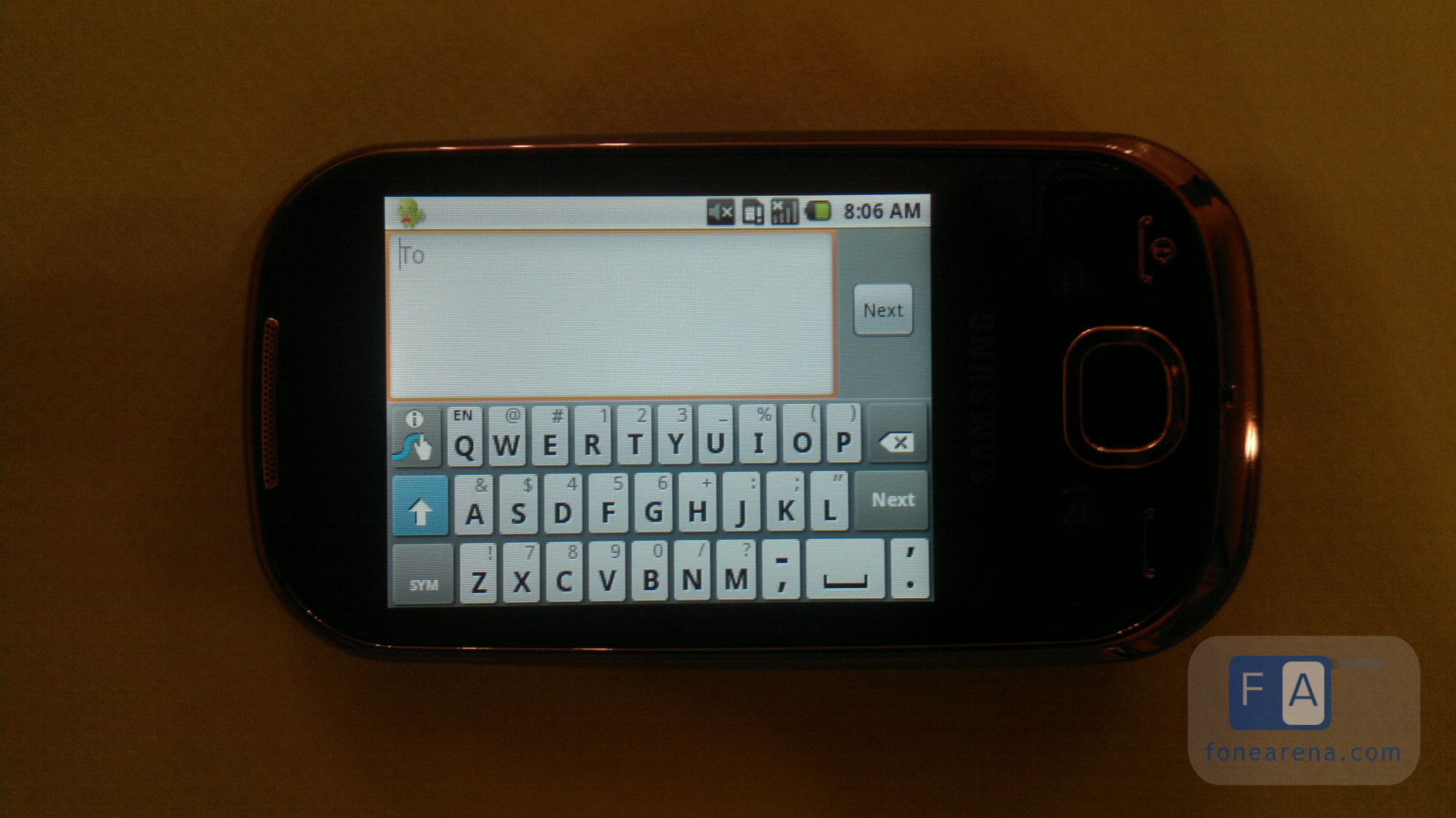
2. Samsung TouchWiz: although many people prefer the vanilla experience of Android, TouchWiz can easily get out of the way, letting you enjoy an almost plain experience. Yes, there is a set of Samsung-specific widgets, like Accuweather, Buddies, Feeds and Updates, but you can opt out of these and customize the homescreen as you prefer. The application menu is divided into pages of 16 applications each scrollable horizontally, which fits more on a small screen like this. The TouchWiz Gallery and Camera UI are really great to look at and use. Also included are many of Samsung's specific applications like Type and Go, Files, but the notable ones are Layar and Swype. Swype specifically makes a nice difference as that keyboard is a lot easier and more convenient to use than the default Samsung keyboard, in both portrait and landscape.


3. D-Pad: when you have a screen as small as the 2.8? one on the Galaxy 5, finger selection gets a bit complicated, no matter how small your fingers are. In the browser, while typing text, in selection windows, basically all over the phone, precise selection is quite difficult at least at first, so the D-Pad helps a ton with that. You can scroll through lists and text, select the items you want, move easily around the browser, point to and click a link, without a lot of trouble.

4. Dedicated Call/End Call keys: while everyone is moving away from physical buttons, a lot of people still look at these new smartphones and wonder how to call or end a call. The Galaxy 5 outcomes that by including a regular set of calling buttons, allowing anyone who picks it to know how to initiate a phone conversation or end it. It's also one of the elements that make it look more like a regular phone and less like a smartphone.

5. Battery life: thanks to its small screen and less resource intensive processor, the Galaxy 5 is one of a rare breed of battery champions when it comes to Android devices. The battery will easily last a day, with moderate to intense use, and if you install something like Juice Defender, it will even get to 2 days with that amount of usage.

But the Galaxy 5 isn't all rainbows and butterflies, and there are many limitations to its use. Here are the 5 things that we hate about the Galaxy 5.

1. Small touchscreen: the main hamper on the Galaxy 5's use is its 2.8? screen. If this wasn't a touchscreen device, the size would have been more than enough, but going below 3? on a touchscreen is quite unforgivable. A bump to 3? or 3.2? would have been greatly appreciated as there are some instances where the screen is just too tiny to be of use, and many applications won't look decent on it, or are simply not available for it.

2. Non-TouchWiz'ed Music Player: everything on the Galaxy 5 is quite pimped up, UI-wise, thanks to TouchWiz, except the music player which is the default Android one. This sort of makes it look out of place on the device, and leaves the experience a bit inconsistent with the rest.

3. No GPS: while I do realize that something had to give in order to lower the price of the Galaxy, omitting a GPS ship and relying totally on network location is a bit sad in a day and age where voice navigation is becoming free, ubiquitous, and one of the selling points of smartphones.

4. Very limited Camera: this is another factor that had to be compromised to fit the price and size range of the Galaxy 5, but a 2MP camera with no AutoFocus is quite ridiculous. There are 3.2MP cameras around and even 5MP modules that could be a much better fit than this.

5. Tiny Memory: while the target demographic for the Galaxy 5 is not those who want to install hundreds of applications and games, it was still a bit sad to see the memory low warning with around 30 apps installed on mine. That warning gets a bit more frustrating if you're running Eclair, since you can't move some applications to the SD card to free space.

As you see, the Galaxy 5 is a phone that brings many of the regular phone features: with the D-Pad, dedicated call keys, small and pocketable size, and great battery life. It will lure the unsuspecting non-smartphone user into buying and trying it, thanks to its quite reasonable price, and then will present them with a smartphone experience. With Eclair, TouchWiz and the Market, users will find themselves attracted to trying new applications, fiddling around, arranging homescreens to fit their needs. There are very few limitations on applications that the Galaxy 5 can run, and while the hardware isn't up to par, it will offer a full Android experience from the software side. I was personally able to load it with what I wanted, in terms of apps and personalization items, make it fit my needs, and get quite satisfied with it.


Except that there will come a time when the limitations will start annoying the user. After being attracted to Android, they will want a bigger screen to see more information and have better control over things, a faster processor, a better camera, GPS to use with voice navigation and augmented reality apps, and more memory for all their apps. The Galaxy 5 will be like a stepping stone, a transitional device of sorts from the non-geeky average usage for its owner, to a more involved and smartphone-aware owner who will start looking for more.

Related Posts with Thumbnails<!-- Begin SexyBookmarks Menu Code --> <!-- End SexyBookmarks Menu Code -->


Powered By WizardRSS.com | Full Text RSS Feeds | Amazon WordPress PluginHud 1 Settlement Statement